If you are reading this I suppose you are already familiar with GMLAN. In short, GMLAN is a communication protocol based on CAN-BUS to send data between different Electronic Control Units (ECUs) in the car like BCM (Body Control Module), IPC (Instrument Panel Cluster), EHU (Entertainment Head Unit) and so on. GMLAN is a single-wire CANBUS protocol (SWCAN) with 33.3kbps baudrate.
The only thing I wanted was to sniff steering wheel radio commands and send them to control my CarPC, but this turned out very interesting for me to think of other possibilities and ways to make my car smarter.
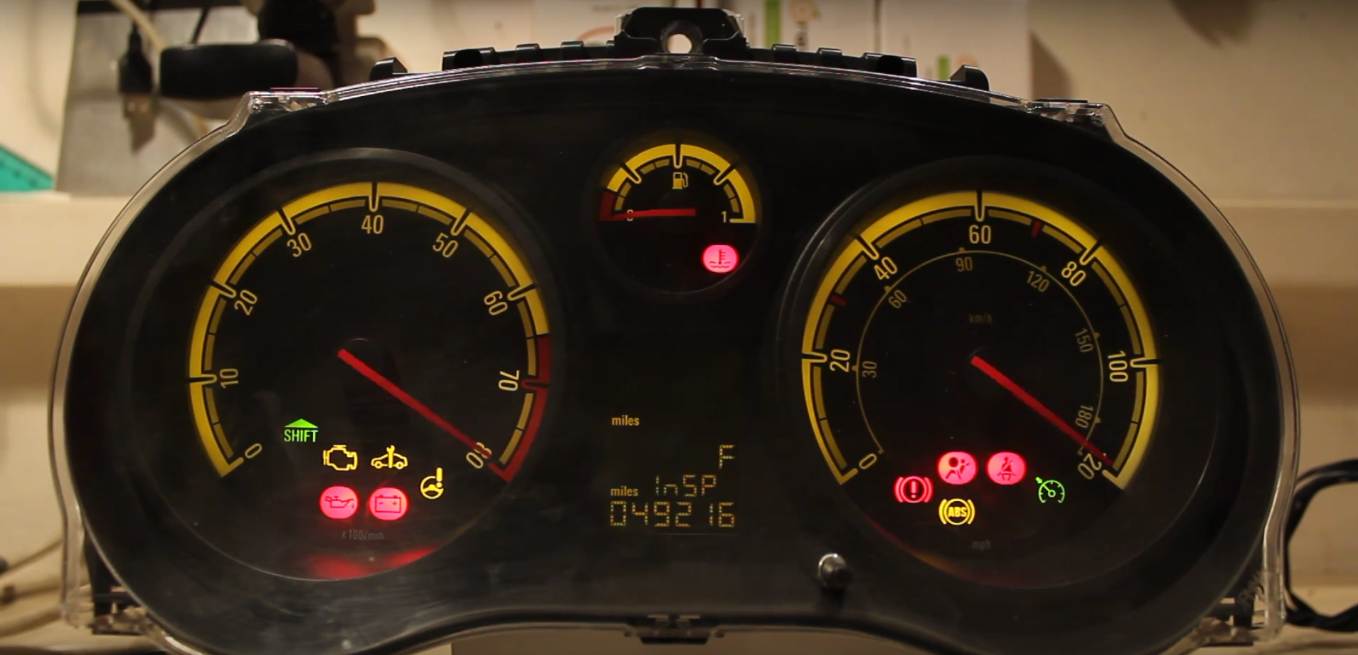
On previous posts you can see that I have an Opel/Vauxhall Corsa D which is an GM (General Motors) car. I have a spare instrument panel cluster (IPC) I bought months ago just laying around, doing nothing. I never installed it in my car as it is incompatible and needs programming with an expensive programmer which I don’t have. So, I wanted to try sniffing the GMLAN and find out the commands to start-up and control the instrument panel cluster.
For this project, I’m using Arduino Nano with MCP2515 controller and TJA1040 transceiver module. If you have 8MHz crystal oscillator on the MCP2515 board I would suggest changing it to 16MHz. Below is the wiring schematic:
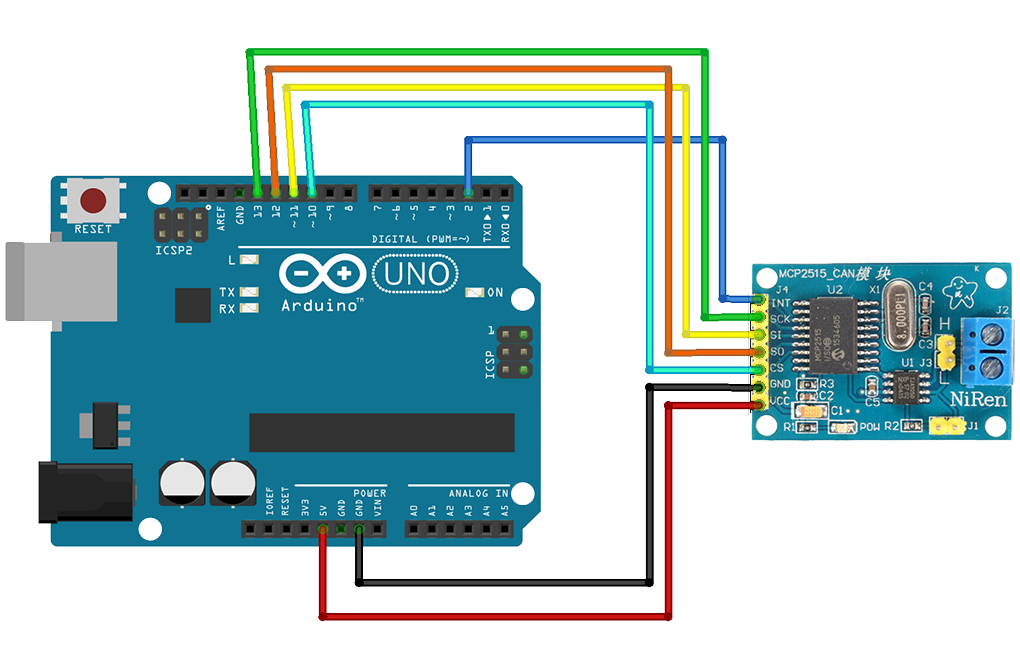
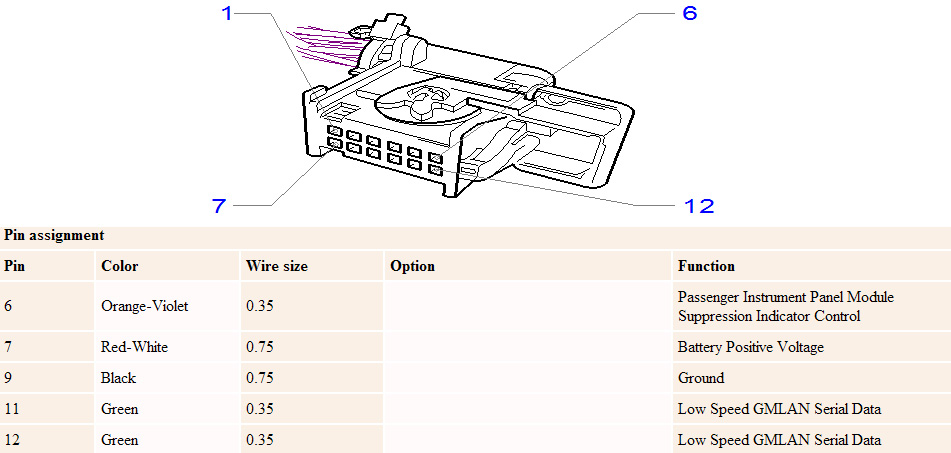
Connect CANH to GMLAN wire and CANL to GND. Interconnect grounds from Arduino, to MCP2515 board and your car or module you want to sniff messages from.
Next step is loading MCP_CAN_lib library in Arduino IDE. Before trying to send messages, I would suggest first trying to read. In the library examples load the file named CAN_receive.
For sniffing GMLAN Low Speed CANBUS, adjust baudrate to CAN_33K3BPS.
Upload the code, turn on your car or module and start the Serial Console from Arduino IDE. You can also use PuTTY or Realterm if you are using Windows, or if you are using Linux, you can just type screen /dev/ttyACM0 or screen /dev/ttyUSB0.
I found the commands for starting up the IPC, rev and speed gauges, turn signals and chime.
Here are the CANIDs I discovered and used on this project:
| CANID | DATA | Description |
| 632 | 0x00, 0x48, 0x50, 0x00, 0x00, 0x00, 0x00, 0x00 | Wake GMLAN before transmitting data. |
| 170 | 0x74, 0xA1, 0x3B | Turn on IPC (Instrument Panel Cluster) |
| 170 | 0x60, 0x00, 0x00 | Turn off IPC (Instrument Panel Cluster) |
| 146 | 0x15, 0x00, 0x00, 0x00, 0x00, 0x00, 0x00, 0x0C | Turn on Cruise Control symbol |
| 146 | 0x00, 0x00, 0x00, 0x00, 0x00, 0x00, 0x00, 0x00 | Turn off Cruise Control symbol |
| 260 | 0x7F, 0x32, 0x80 | Turn on Hazard lights |
| 260 | 0x20, 0x32, 0x80 | Turn on Left turn signal |
| 260 | 0x30, 0x32, 0x80 | Turn on Right turn signal |
| 260 | 0x00, 0x00, 0x00 | Turn off Hazard lights/Turn signals |
| 350 | 0x06, 0x01, 0x92, 0x20 | Turn on lights symbol |
| 281 | 0x60, 0x05, 0x1E, 0x01, 0x33 | Chime (experiment with values for different sound) |
| 108 | 0x00, i, 0x00, 0x00,i, 0x00, 0x00, 0x1E | Speed and RPM full sweep |
I used CAN_send example loaded with the appropriate commands and sent them to the IPC.
See it in action:


Leave a Reply